


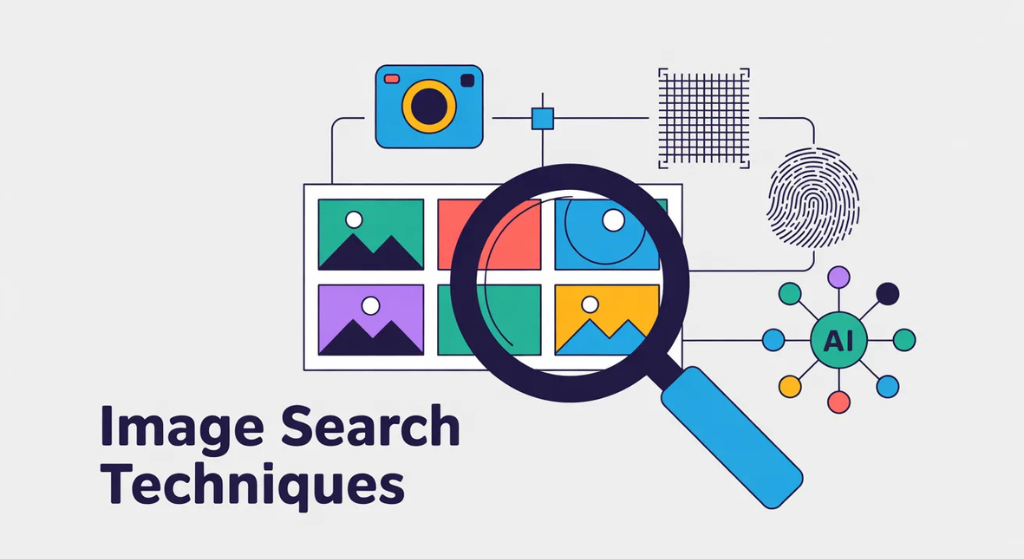
I have a question: Have you ever seen a device but could not describe it to search online? And you are wondering whether the image is real or not? There are so many techniques that help us to solve the problems of our images every day. They made our life easier by providing or searching for different products, verifying facts, and discovering ideas without typing perfect words. In the modern world. Several pictures have been uploaded on the internet everyday. These methods save our time and boost our creativity. When you are shopping, researching, or creating content, you should master them and take them aside. This information helps us to get more information about the basics to advanced tips. It also fills in other articles often missed.
What Is Image Search?
Image search helps us to find images or use different visual text. It seems like we are searching on the internet to show me more like this or many other questions.
The search engine scans pictures for shapes, colors, and projects. They match our questions to different stored photos. It really matters the most, and the reason behind this is that words sometimes fail.
Unlike text search, image search uses AI to “see” details. It powers apps like shopping tools and fact-checkers. It’s not just convenient it’s essential for pros in marketing, journalism, and design.
How Image Search Works
Searching for an image is always done with an input, a keyword, upload photo,or camera snap. It is all the data behind it.
There are so many engines that help us to break images into features. They are provided with different spot edges, colors, patterns, and objects. There are so many models such as Google Lens. We compare it in a huge database. We use mathematics to determine similarity. ponder it as scoring how close two pictures match.
For instance, upload a red apple photo. The system notes the round shape, red hue, and stem. It pulls up similar apples, recipes, or even art with apples. Advanced versions add context, like surrounding text on a webpage.
This tech evolved from simple pattern matching to deep learning. Older methods like SIFT focused on key points. Now, neural networks handle complex scenes. But it’s not perfect blurry images or odd angles can confuse it.
Types of Image Search Techniques
Many ways to search for an image. Each fits different needs. Let’s describe their types:
Keyword-Based Search
This mixes words with visuals. Type a description, like “blue ocean waves at sunset. There are so many applications that let us scan files by name. alt text and captions on sites.
It’s great for inspiration. Add filters for size or color to narrow results. Example: Searching for “vintage car illustration” returns drawings for a design project.
Reverse Image Search
Upload a photo to find its source or similar ones. Tools scan the web for matches.
Steps: Go to Google Images, click the camera icon, and upload your file. It shows where the image appears, edited versions, or related pages.
Real example: A journalist uploads a protest photo. It reveals the original from years ago, debunking a fake news claim. This technique catches plagiarism, too.
Visual Similarity Search
We should find an image that looks similar to the others. The main aim is to focus on its style. colors and layout.
We use Pinterest excels here. We should pin a dress photo, and it suggests similar styles. It was meant for shopping. See a couch online? We are searching for cheaper matches or color variants.
Object Recognition and Facial Search
Spots specific items or people in photos. AI identifies objects like “bikes” or faces for matches.
Google Lens does this well. Point your camera at a plant, it names the species and care tips. For faces, Yandex is strong, helping verify identities in social media.
Content-Based Image Retrieval (CBIR)
An advanced type often missed in guides. It searches based on image content without tags. Systems analyze pixels for patterns.
In research, scientists use CBIR for medical scans. Example: Upload an X-ray; it finds similar cases in databases. This goes beyond basics, using AI for precise matches.
Best Tools for Image Search
Don’t stick to one and combine them for better results. Here are top picks with how-tos.
- Google Images and Lens: Free and easy. For reverse: Upload via camera icon. Lens adds camera search scan a barcode for product info. Pro tip: Crop to focus on one object.
- Bing Visual Search: Strong for shopping. Highlight part of an image to search just that. Example: Spot a watch in a photo? Box it and find sellers.
- TinEye: Tracks originals. Uploads find exact matches, even cropped ones. Great for photographers checking theft.
- Yandex Images: Better for faces and non-English content. Similar upload process, but results include more global sites.
- Pinterest Lens: Fun for discovery. Snap a real-world item; it suggests pins. Ideal for home decor ideas.
Test multiple. A dress might show on Google but cheaper options on Bing.
How to Optimize Images for Search
Many guides skip this, but optimizing makes your images findable. IStart with file names: Use “fresh-apple-salad-recipe.jpg” not “IMG_1234.jpg.” Add alt text: Describe clearly, like “Red apple slices in a green salad bowl.” This helps engines and accessibility.
Compress without losing quality tools like TinyPNG cut file size. Use formats like WebP for faster loads.
Add context: Place images near related text. For SEO, submit an image sitemap to Google. Schema markup tags images as products or recipes, boosting visibility.
Practical Applications and Real Examples
Image search shines in real life. Here’s how people use it.
In shopping: Snap a street fashion look. Lens finds the jacket brand and stores. One user saved 30% on shoes this way.
Journalism: Verify memes. Reverse search traced a “storm” photo to a movie set, stopping misinformation.
Design: Find color matches. Upload a logo; similarity search suggests palettes. A graphic artist built a brand kit faster.
Education: Students search diagrams. Object recognition explains a cell structure from a textbook photo.
Business: Monitor brands. TinEye alerts if your logo appears unauthorized.
Case study: An online store added visual search. Sales rose 25% as customers uploaded inspirations instead of typing. They filled a gap by letting users skip unknown terms.
Here’s an example of visual similarity results starting from one dress, it suggests styles in different colors and patterns.
Challenges and Privacy Tips
Not everything’s smooth. Low-quality photos give poor results. Fix by editing brightness or cropping.
Biases in AI: Systems trained on limited data might miss diverse faces or cultures. Test multiple tools.
Privacy is a big gap in other articles. When you upload, engines store data temporarily. Use incognito mode or VPNs. For faces, avoid if possible regulations like GDPR limit misuse, but risks remain.
Tip: Check tool policies. Google anonymizes after use, but third-party sites might not.
Future of Image Search
AI will make it smarter. Expect real-time searches via AR glasses see a bird, get its name instantly.
Multimodal mixes images with voice or text. Detection of AI-generated fakes will improve, fighting deepfakes.
Actionable Tips to Get Started
Ready to try? Follow these.
- Start simple: Use Google Lens on your phone for daily objects.
- We will upload a meme and check it again and again in a practice reverse process.
- We will rename, add all text and see if it ranks better; it all includes an optimization of an image.
- We will search the photos on different platforms in a combined tool.
- We will blur the sensitive part before uploading for safety measures.
These steps build skills fast.
Conclusion
Image search techniques open doors to faster finds and smarter decisions. From spotting fakes to sparking ideas, they fit everyday needs. We should be skimming other areas by covering basics, tools, and optimization. You’re equipped to use them well. Dive in, experiment, and watch how visuals change your online world.
FAQs
What’s the difference between reverse and visual similarity search?
Reverse finds exact sources or matches. Visual similarity suggests look-alikes, like alternative designs.
How do I do image search on mobile?
Use apps like Google Lens. Open, tap the camera, snap or upload. It’s quick for on-the-go.
Which tool is best for beginners?
Google Images. It’s free, simple, and covers most needs.
Can image search invade privacy?
Yes, if photos have location data. Remove metadata first and choose trusted tools.
How long does it take to optimize images for SEO?
A few minutes per image. Focus on names, alt text, and compression for quick wins.
Is AI image search accurate for faces?
Often yes, but varies by tool. Yandex handles it well, but ethical issues apply.
What if my search gives no results?
Try a clearer photo, different angle, or add keywords. Multiple engines help too.
How can businesses use these techniques?
For product discovery, competitor checks, and brand monitoring to boost sales.
