


If you’ve ever highlighted a lecture PDF only to realize you can’t share it neatly, or jotted down notes on a contract and worried you’ve messed up the master version, you know the pain. Traditional tools either force you to edit the file itself or make annotations feel clunky and temporary.
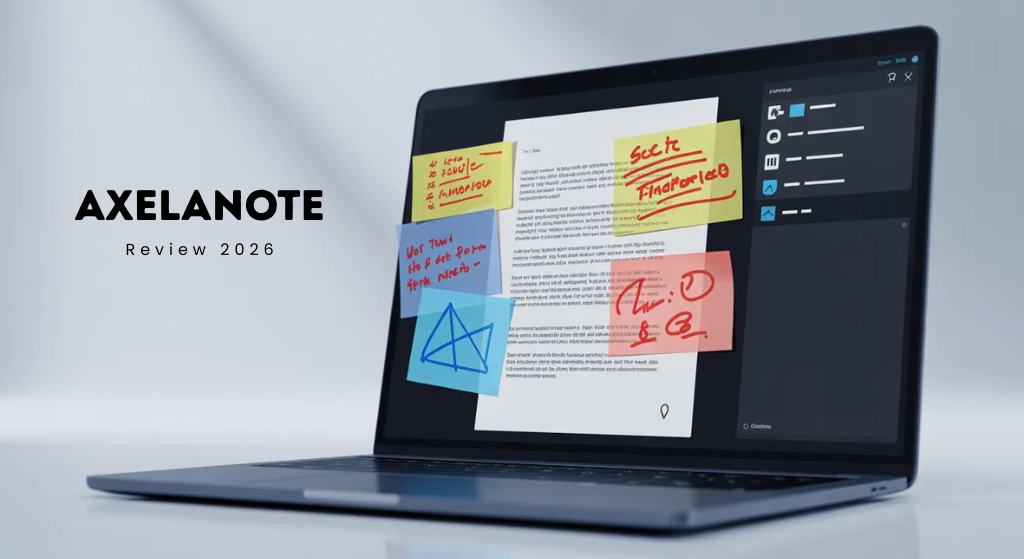
AxelaNote makes it straightforward. It helps you to transform new things like layer notes, highlights, drawings, and comments directly on any PDF. It happens without touching the original documents. There are so many annotations that are visible on overlays. You will turn it off and on. It focuses on locked or protected files too, which makes it a lifesaver for students, professionals, and anyone dealing with read-only docs.
Why AxelaNote Matters Right Now
Information comes at us fast—lecture slides, meeting PDFs, research papers, client contracts. Most note apps either ignore PDFs or force you to copy-paste everything into a new file. AxelaNote sits in the sweet spot: it respects the original document and gives you powerful tools to think on top of it.
Students use it to mark up lecture slides and textbooks. Professionals annotate contracts, blueprints, or reports without version-control headaches. The result? Faster understanding, fewer lost ideas, and zero fear of “did I just break the file?”
Core Features That Actually Help Daily Life
Here’s what sets it apart in plain terms:
- Non-destructive overlays — Write, highlight, draw, or add sticky notes. Everything lives on a separate layer. Toggle layers, delete just your marks, or export a clean version. Perfect for protected PDFs.
- Smart organization tools — Turn annotations into searchable notes, tasks, or linked ideas. Group related pages across multiple files.
- Collaboration-ready sharing — Send annotated versions to teammates or classmates without giving away the original file.
- Clean search and export — Find your notes across files quickly and pull them into reports or study guides.
- Lightweight and focused — No bloated dashboards. It does one thing really well: make PDFs useful again.
Real example: A college student downloads the weekly lecture slides (locked by the professor). With AxelaNote, they highlight key points in yellow, add questions in red, and sketch quick diagrams in the margins. At exam time, they toggle off the messy layers and print a clean annotated version. The original file stays untouched for the professor.
How to Get Started in Under 10 Minutes
- Head to axelanote.com (currently showing a “loading your experience” page while the full site rolls out—early access often available through direct contact or case-study pages).
- Download the Windows installer (primary platform; mobile/web versions mentioned in user reports).
- Open any PDF—lecture notes, contract, blueprint, whatever.
- Start annotating. Layers appear automatically. Use the toolbar for highlights, text boxes, freehand drawing, or stamps.
- Save your work. The original stays exactly as it was; your annotations export separately if needed.
Pro tip: Start small. Import one week of lecture PDFs or your current project folder and build the habit before going all-in.
Pricing – What You’ll Actually Pay
Exact public pricing isn’t listed yet (site still prepping), but reports and case studies point to these tiers:
- Free / Basic — Enough for personal use, limited files or storage.
- Pro (individual) — Around $8–10/month for unlimited annotations, advanced search, and priority features.
- Team — Roughly $12–15 per user/month with shared workspaces and admin controls.
- Enterprise — Custom (great for companies handling technical docs or large student cohorts).
Yearly billing usually saves money. Many users say it pays for itself the first time you avoid re-creating a ruined PDF or hunting for scattered notes.
AxelaNote vs. the Usual Suspects
Quick head-to-head so you don’t waste time testing everything:
- Adobe Acrobat: Powerful but expensive and often destructive on edits. AxelaNote wins on safety and simplicity for everyday annotation.
- Notion or Obsidian: Great for connected notes but weak on native PDF layers. AxelaNote handles the PDF part better; you can still export notes into those apps.
- OneNote or GoodNotes: Excellent handwriting but tied to their ecosystems. AxelaNote stays PDF-first and works on locked files..
Practical Tips to Make It Stick
- For students: Annotate lecture PDFs the same day. Use color codes (yellow = key concept, blue = example, red = question). Review layers weekly to turn annotations into study summaries.
- For professionals: Create a “master layer” for comments and a “client layer” for internal thoughts. Export only what the client needs.
- Build connections: After annotating several related PDFs, export notes into a simple folder or your second-brain app. Suddenly your scattered ideas link up.
Honest Pros and Cons
| Pros | Cons |
|---|---|
| Annotations never ruin the source file. | Primarily Windows right now (Mac/iOS support still rolling out in reports). |
| Works on restricted PDFs most tools reject. | Full AI features or graph views mentioned in some early hype aren’t confirmed yet. |
| Simple interface, no learning curve for basic use. | Pricing details appear only after signup. |
| Great for visual thinkers (drawings + highlights). | Smaller community than big-name apps. |
| Saves time on version control and re-creating docs. |
Who Should Give AxelaNote a Try Today?
- Students got busy in slides and textbooks.
- So many professionals handle contracts, reports, or technical drawings.
- Anyone tired of “I can’t edit this PDF” frustration?
If you mostly work in plain text or already love Notion workflows, it might be overkill. But for anyone who lives in PDFs, it’s a game-changer.
Conclusion
AxelaNote isn’t trying to replace your entire productivity system. It simply solves one painful problem better than anything else: making PDFs actually useful without risking the original.
Download it, annotate one important document this week, and see how much clearer your notes feel. Once you experience writing freely on a locked file without worry, you won’t go back.
Ready to try? Check axelanote.com or search for TransRecog case studies for early access details. Your future self (and your clean PDFs) will be glad you did.
Frequently Asked Questions
What is AxelaNote used for?
It’s a PDF annotation tool that lets you add notes, highlights, and drawings on top of any document without changing the original file. Ideal for lecture notes, contracts, research papers, and technical docs.
Does AxelaNote work on protected or locked PDFs?
Yes one of its biggest strengths. It uses overlay layers so you can annotate files that Adobe or other tools block.
Is AxelaNote free?
A basic version is free for light personal use. Paid plans unlock unlimited files, advanced search, and team features.
Can I use it on Mac or mobile?
Windows is the main platform right now, but reports mention expanding support. Check the site for latest updates.
How is it different from just using a highlighter in Adobe Reader?
Annotations stay separate, searchable, toggleable, and shareable. You never alter the source file, and layers make review way easier.
Will my annotations stay if I share the PDF?
You control what gets exported. Share a clean version or one with your notes—your choice.
Is it good for building a “second brain”?
It excels at the PDF part. Pair the exported notes with a tool like Obsidian or Notion for full knowledge-graph magic.
