


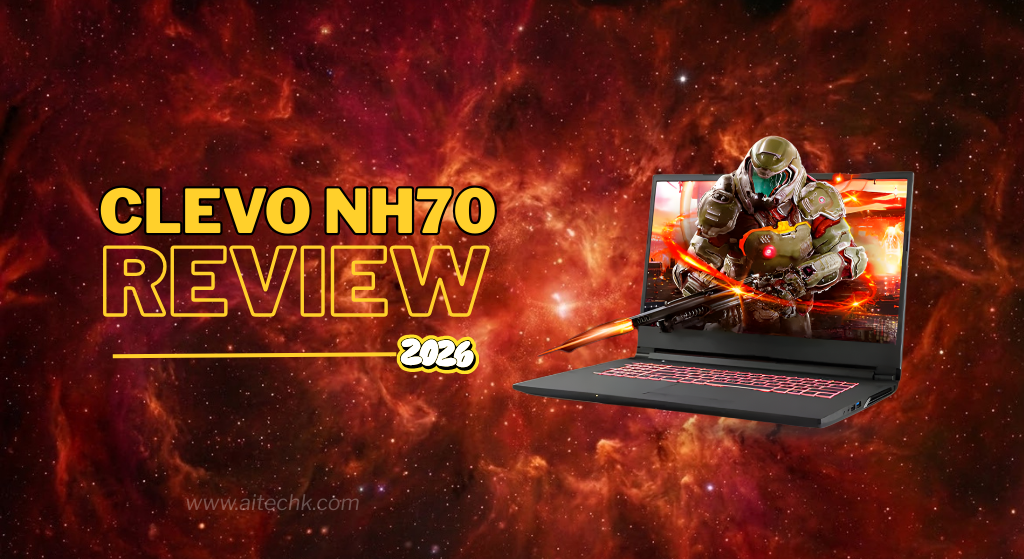
The Clevo NH70 was established in 2019 as a nonsense barebone laptop from Taiwan. Different industries like sager, schenker and eurocom make copies of brands and sell them worldwide. It was never thought its a machine, but provides you a larger screen, strong build, easy upgrades at a price that made sense.
In today’s modern era, new stock is gone. You will find used material on different platforms such as eBay, Facebook marketplace, or from specialist resellers. The prices ranges between between $450 and $750 depending on the exact specs. Everyone asks different questions about them which are sometimes simple or sometimes difficult.
I spent most of my time with real world examples (i7-9750H + GTX 1650 config) and talked to the owners of the companies which are using their sites or softwares. Here is the full picture, you should know each and every detail before buying.
Design and Build Quality:
When you get NH70 you will feel the difference . The measurement is about 412 x 290 x 28 mm and weighs roughly 2.5 to 2.8 kg. This looks like it is a proper desktop replacement not something that you carry to the coffee shop every morning
The top includes metal accents, while the chassis is made of sturdy plastic. When you apply pressure to the keyboard deck or lid, there is hardly any flex.
Many owners say the build feels just as tight as it did on the first day, even after six years.
Display: That Big 17.3-Inch Screen Is the Star
A 17.3-inch Full HD (1920×1080) 60Hz matte display is the standard panel. It is addictive to have more real estate. Discord, a browser with instructions, and the game can all be viewed simultaneously without you having to alt-tab all the time.
The colors are good; they are bright enough for most games and movies. About 300 nits of brightness are reached, which is enough in typical spaces but difficult in direct sunshine. The viewing angles are average; it looks fine if you sit straight on.
The majority of devices are the standard 60Hz model, while some premium configurations come with superior screens. Newer 144Hz laptops feel much smoother, but you’ll grow used to it if you play professional shooters. The scale more than compensates for the refresh rate in productivity work, single-player role-playing games, and story-driven games.
Keyboard, Trackpad, and Everyday Typing Experience
This is one area where the NH70 still beats many modern thin laptops. You get a full-size keyboard with a separate number pad and per-key RGB lighting. Key travel is deep and satisfying — around 2mm — with a nice tactile bump. I typed a 2,000-word report without any wrist fatigue.
The RGB software lets you customize colors per zone or even per key. It’s not as fancy as some Razer or Corsair setups, but it works and stays bright.
The trackpad is large, smooth, and accurate for Windows gestures. It’s good enough for casual browsing and light editing, though serious gamers will use a mouse anyway.
The built-in 720p webcam is basic. It works for quick video calls, but lighting matters a lot. Grainy in dim rooms. Most people I talked to just use their phone or a cheap external webcam.
Ports: Everything You Could Possibly Need
One of the best things about this machine, you don’t need a drawer full of adapters.
Here’s the full list:
- Three USB 3.1 Type-A ports
- One USB Type-C port
- Full-size HDMI
- SD card reader (full size)
- Gigabit Ethernet
- 3.5mm combo audio jack
- Power connector
You can plug in an external monitor, wired mouse, keyboard, external hard drive, and still have ports left over. Wi-Fi is usually 5 or 6 depending on the exact model, and Bluetooth 5.0 works reliably with headphones and controllers.
Full Specs Breakdown (Typical Configuration)
- CPU: Intel Core i7-9750H (6 cores / 12 threads, 2.6 GHz base, up to 4.5 GHz boost)
- GPU: NVIDIA GTX 1650 4GB (some units had GTX 1660 Ti or RTX 2060)
- RAM: 8–16GB DDR4 (two slots, upgradable)
- Storage: 256GB–1TB NVMe SSD (usually two M.2 slots + 2.5-inch bay on many units)
- Display: 17.3″ FHD 60Hz matte
- Battery: 62Wh
- Weight: ~2.5–2.8 kg
- OS: Ships with Windows 10; Windows 11 works with a simple bypass
Real-World Performance in 2026
The six-core i7-9750H still handles everyday tasks surprisingly well. Web browsing with 30+ tabs, Excel with big spreadsheets, light video editing in Premiere Pro, and even some Photoshop work all feel snappy.
Gaming performance at 1080p:
Esports titles
- Valorant: 110–140 FPS on high
- Fortnite: 85–110 FPS on medium-high
- CS2: 100–130 FPS
- League of Legends: easily 120+ FPS
Older AAA games
- GTA V: 65–75 FPS on very high
- The Witcher 3: 55–65 FPS on high
- Assassin’s Creed Odyssey: 50–60 FPS on high
Newer titles (2024–2026)
- Cyberpunk 2077: 35–45 FPS on low-medium (with tweaks)
- Black Myth: Wukong: 30–40 FPS on low
- Starfield: 40–50 FPS on medium
It won’t run the latest games at ultra settings with ray tracing — that tech simply wasn’t around when this laptop launched. But with some graphics tweaks and FSR where available, most modern games stay playable.
Productivity benchmarks (approximate from similar configs):
- Cinebench R23 multi-core: around 7,500–8,500 points
- 3DMark Time Spy: 3,200–3,800 points
Battery Life and Thermals: What to Expect
This is a plugged-in machine. Light use (browsing, YouTube, documents) gives you 3 to 4 hours. Gaming drops it to 1–1.5 hours. The 62Wh battery is average for a 17-inch laptop of this era.
Under load the fans spin up, but they’re not screamers. CPU temps usually sit between 80–90°C, GPU around 70–80°C during long gaming sessions. The thick chassis actually helps keep things stable — you rarely see heavy throttling unless the room is very hot.
Pro tip: Clean the vents and fans every 6–12 months with compressed air. Many owners who do this report 5–10°C lower temps and quieter fans.
Upgradability: The Feature Most Laptops Lost
This is where the NH70 still wins in 2026.
The bottom panel comes off with just a few screws. Inside you can:
- Upgrade RAM to 64GB (two slots, cheap DDR4)
- Add or replace SSDs (two M.2 NVMe slots + 2.5-inch SATA bay on most units)
- Repaste the CPU and GPU for even better temps
- In some barebone versions, the CPU is socketed (rare but possible)
A $60 32GB RAM kit and a $70 1TB SSD can turn a basic $500 used unit into a machine that feels brand new again. Most thin gaming laptops today have everything soldered — this one lets you keep it alive for years.
Audio Quality and Multimedia
The stereo speakers are surprisingly loud and clear for a gaming laptop. Bass is limited, but dialogue in movies and game sound effects come through well. Plug in headphones and the audio improves dramatically thanks to decent onboard DAC.
The big screen plus solid sound makes Netflix or YouTube sessions enjoyable. Many owners use it as a secondary TV in their room.
Who Should Buy One in 2026?
Buy the Clevo NH70 if you:
- Want maximum screen space on a tight budget
- Play mostly esports, older games, or single-player titles
- Do schoolwork, coding, video editing, or heavy multitasking
- Like tinkering and upgrading your own gear
- Need lots of ports and a full keyboard with number pad
Skip it if you:
- Need all-day battery life
- Travel a lot and want something light
- Must play brand-new AAA games at high settings with ray tracing
- Care about the latest AI features or super-smooth 144Hz+ displays
Direct Comparison to Modern Budget Laptops
In 2026 a new $700–900 laptop with RTX 4050 will beat it in new games and efficiency. But those machines are usually 15-inch, less upgradable, and more expensive upfront.
The NH70 gives you more screen, better keyboard, and upgrade freedom for less money — if you buy used. It’s like choosing a reliable used truck over a shiny new compact car.
Buying Tips and Common Issues to Watch For
Shop carefully:
- Look for units with RTX 2060 if your budget allows (big jump in performance)
- Ask sellers for proof of upgrades or recent repaste
- Test for dead pixels, coil whine, and battery health
- Expect to spend $50–100 right away on RAM/SSD upgrades
Common issues after years of use: dust buildup (easy fix), aging thermal paste (cheap repaste), and occasional Wi-Fi driver hiccups (fixed with updates). Overall, reliability is good — many are still running strong in 2026.
Maintenance Tips to Make It Last Another 3–5 Years
- Repaste every 2–3 years
- Upgrade to 32GB+ RAM early
- Use a cooling pad for long sessions
- Keep Windows updated but test games in older versions if needed
- Back up before any major upgrades
Final Words
The Clevo NH70 isn’t pretending to be a 2026 flagship. It’s honest about what it is: a tough, big-screen, upgradable workhorse that still delivers real value.
If you find a clean unit in good condition for under $650, grab it. With a couple of cheap upgrades it will easily handle your games, work, and movies through 2028 or beyond. For the right person — someone who values screen size, repairability, and budget over the absolute latest tech — it remains one of the smartest second-hand buys you can make.
Frequently Asked Questions
How much should I pay for a Clevo NH70 in 2026?
Clean used units with GTX 1650 go for $450–600. RTX 2060 versions push $650–750. Avoid anything over $800.
Does it run Windows 11 properly?
Yes. A quick registry tweak during install gets around the TPM check. All drivers are still available and it runs stable.
Can you upgrade the graphics card?
No — the GPU is soldered. But RAM, storage, and thermal paste are all very easy to upgrade.
Is the fan noise annoying?
It gets loud under heavy load, but most people get used to it. A cooling pad or undervolt drops the noise a lot.
How does it compare to a new $800 gaming laptop?
Newer machines win in raw gaming performance and battery life. The NH70 wins on screen size, keyboard feel, ports, and long-term upgradability.
Is the screen good enough for photo editing?
It’s decent for casual work and color-accurate enough for most hobbies. Professional photographers will want a calibrated external monitor.
What if I just want to play older Steam games?
Perfect choice. You’ll get smooth 60+ FPS in almost everything from 2018 and earlier, plus the big screen makes them look great.
Need a big, reliable, affordable laptop you can actually fix and upgrade yourself? The Clevo NH70 is still quietly one of the best options out there in 2026.
